There is a moment when a customer opens the packaging and holds their breath for a second - the rigid lid lifts with a slight resistance, the magnet closes with a quiet click, and inside waits neatly arranged content. Magnetic boxes are built precisely around that moment. It is a wrapping that is itself part of the presentation, before we even reach for what is inside.
They work wherever the content carries weight - literally and figuratively. A disc with an important recording, a company flash drive with an offer, a set of documents for a client - all of it gains when it arrives in a rigid, polished box instead of an envelope or a plastic bag. Below we show how to choose such a box and how to use it for the three most common purposes.
- A magnetic box is a rigid shell with a lid closed by a hidden magnet - solid and elegant.
- It works as a wrapping for discs, flash drives, documents and sets combining several elements.
- It is worth matching the interior to the content - an insert, a divider or a cut-out keeps everything in place.
- Print on the lid and inside turns the box into a coherent element of a brand presentation or a keepsake.
- Its biggest advantage is the opening moment - that is what builds the sense of value.
What sets a magnetic box apart
An ordinary folding box has to be closed with a flap or held by hand. A magnetic box closes itself - a magnet hidden in the lid holds it firmly, without visible fasteners or tape. The effect is neat and durable, and the opening itself has something of unwrapping a gift about it.
The second feature is rigidity. Such a wrapping is made of thick, stiffened board, so it protects the content and holds its shape - it does not bend like a thin card. That matters for shipping and storage, because delicate content, like a disc or documents, stays protected. We do not offer a rigid magnet-closed box, but a digipack or a CD-Box case with a printed cover gives a similar effect - take a look at the discs and packaging section to match the format to the content.
Use: CD and DVD discs
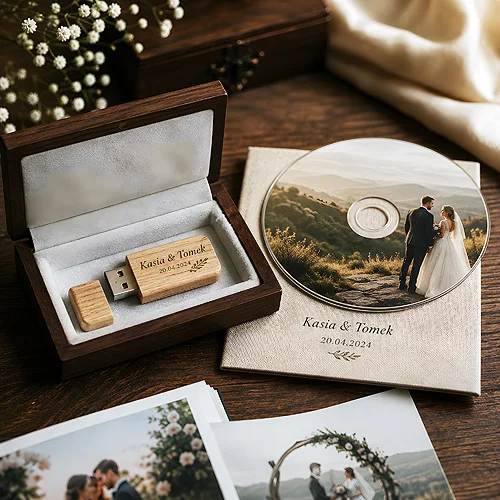
A disc in a paper sleeve looks like a working carrier. The same disc in a rigid magnetic box becomes part of a considered whole - and this works both for company recordings and for family keepsakes.
Printing on the disc versus a label
The disc itself also matters for how the whole is received. It is worth deciding whether to go for a durable print directly on the surface or a stuck-on label - both routes have their pluses. The topic is broken down in our post on whether printing on a disc or a self-adhesive label looks more professional. Whatever you choose, it helps when the graphics of the disc and the box keep one theme.
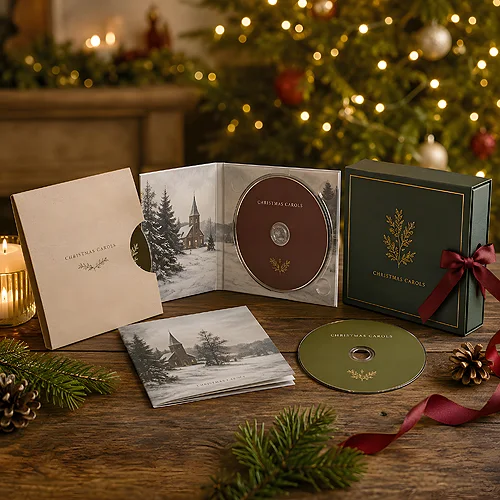
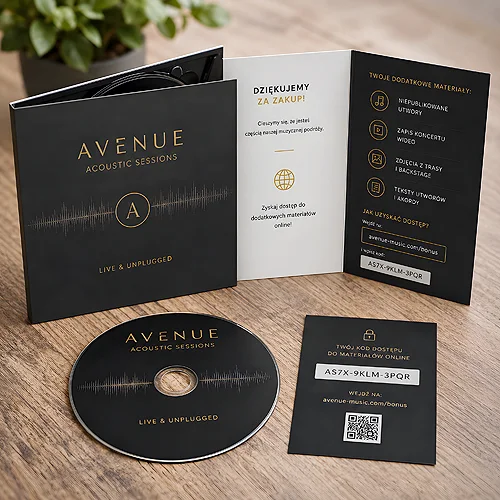
When the content is more elaborate, it is worth considering a full-size digipack instead of a box - a cardboard wrapping in which the disc sits next to a fold-out for extra content. It is a good choice when you want to add a cover, a description or photos alongside the disc itself.
Before ordering a box for a disc, check whether you need room only for the disc or also for extras - a description insert, a small printout, a little gift. A box with spare room gives flexibility, and an insert matched to the content keeps everything even and protects against shifting.
Use: flash drives and company sets
A flash drive is a small object that is easy to lose sight of in a large hand or a loose envelope. A rigid box with a cut-out or an insert holding the carrier in place instantly raises its standing - the customer opens the packaging and sees a product seated as if in a socket, not thrown in loose.
Such a box also works brilliantly as a wrapping for a set in which the flash drive sits next to a card, a leaflet or a small gift. This is a natural extension of the topic covered in our post on how packaging for a flash drive becomes part of a brand presentation, from case to box - a magnetic box is simply the most representative end of that scale.
- A single carrier - a cut-out or insert holding the flash drive in place, plenty of space around it for effect.
- A company set - room for the carrier plus a business card, a leaflet or a short printed offer.
- A gift or keepsake - a box elegant enough that it needs no extra wrapping.
If you are still choosing the carrier itself for such a wrapping, take a look at the range of promotional flash drives - an elegant model in a rigid box makes a coherent whole you want to hand over in person. Metal suits a rigid box - the Unity has a brushed steel body and a minimalist form that does not clash with a plain, hard wrapping.
Use: documents and printed materials
The third area is documents. A contract, an offer, a set of materials for a client - all of it usually travels in a folder or an envelope. A magnetic box gives them a different wrapping: rigid, protecting the corners and closed so nothing spills out. It works for materials meant to stay with the recipient longer, not just pass from hand to hand.
For the everyday flow of documents, classic folders pass the test well, but when you want the set to make an impression and survive in good shape, a rigid box wins. In it you can combine printouts with a digital carrier - a paper offer next to a flash drive with the full version of the materials makes a package that looks serious and is convenient to use.
Such a wrapping works well in a few typical situations where documents matter and you do not want them to look like an ordinary stack of paper.
- A welcome set for a client - a contract, onboarding materials and a small gift in one polished wrapping.
- A portfolio or an offer - high-quality printouts protected from bent corners, ready to hand over at a meeting.
- Project documentation - a set of materials meant to stay with the recipient and look solid on a shelf.
How to choose a box step by step
Gathered in one place, the decisions form a simple order. It is worth going through them one by one before placing an order.
- Start with the content - count what has to fit: the disc alone, a flash drive, documents or a set of several elements.
- Choose the size and depth - with a small margin, so the insert and extras have room.
- Plan the interior - an insert, a divider or a cut-out holding the content in place.
- Set the print - a theme on the lid, possibly an accent inside, consistent with the rest of the materials.
- Check the coherence - make sure the box, the disc or carrier and the printouts speak one graphic language.
A magnetic box is not needed for everything - a simpler wrapping is enough for quick shipping. But wherever the content matters and is meant to stay with the recipient longer, that opening moment does work you cannot achieve with an envelope. It is packaging that itself says: what is inside mattered to us - and that is why it stays in memory.