A physical medium holds something no link can replace - you can hand it over, hold it, leave it on a desk where it reminds people of itself every day. But its real strength begins when that tangible object opens the door to the online world: a current catalogue, a video, a folder of files to download. That is when a flash drive or a disc stops being just a keepsake and becomes a gateway to content you can refresh endlessly.
In this post we show, in practice, how to bridge the physical and the online. No jargon, but plenty of specifics: what to put on the medium, how to guide the customer to the online materials, how to keep everything up to date, and how to weave in a QR code that any phone reads in a second today.
- A physical medium (a flash drive, a CD or a DVD) gives durability and tangibility, while online access gives currency and unlimited capacity.
- A QR code on the packaging, the cover or a leaflet is the simplest bridge between the real world and an online folder.
- Keep permanent materials on the medium and the ones that change (price list, catalogue, news) in the cloud.
- Thanks to this split, you update online content without reprinting or re-recording the media.
- Personalising the print makes the object look dedicated rather than mass-produced.
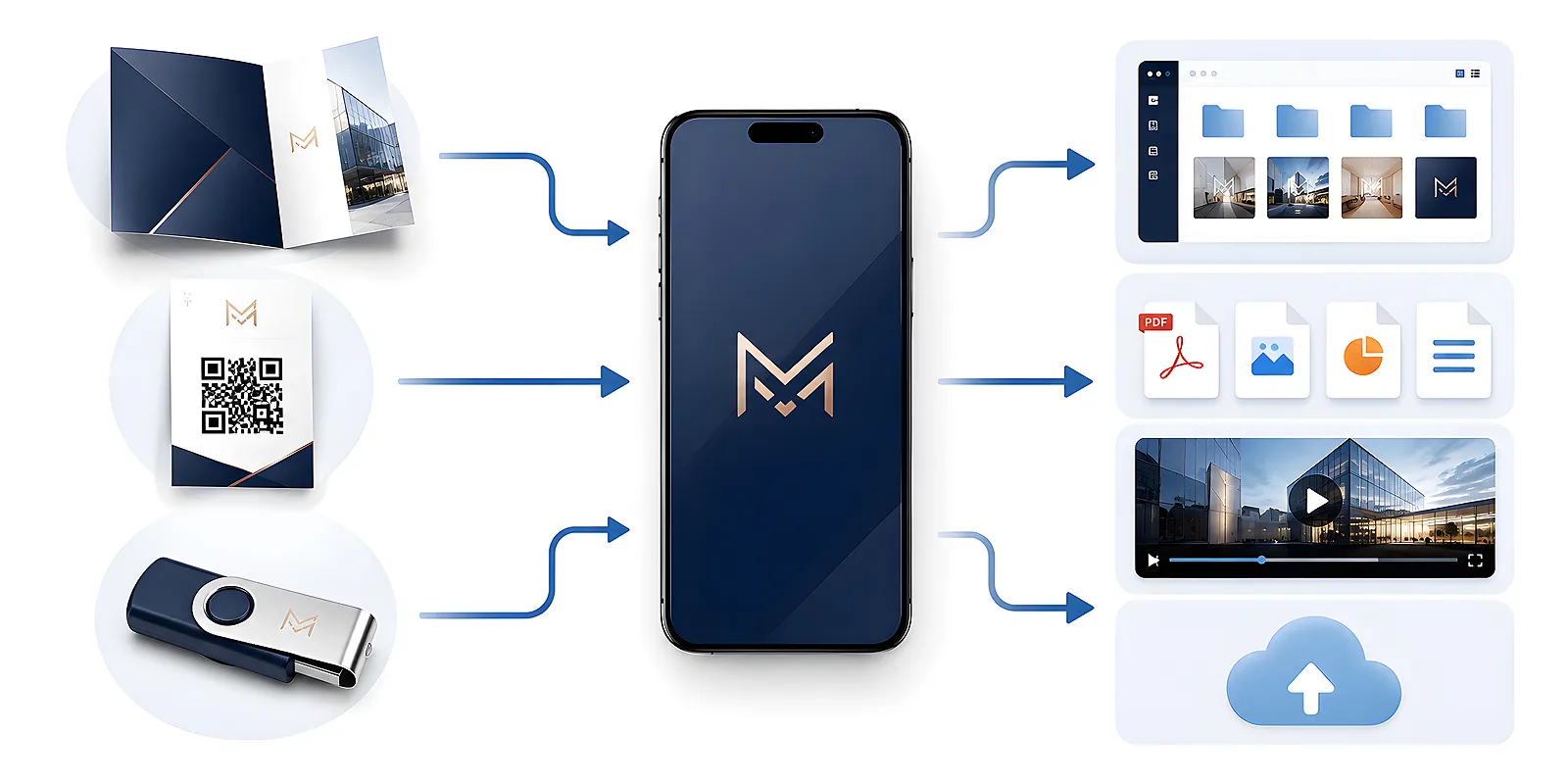
Why link the physical with the online
A medium on its own is convenient, but it has one weakness: whatever you record on it stays that way forever. The offer changes, new products arrive, you update your portfolio - and the customer is still looking at a version from six months ago. The cloud, in turn, can be fleeting: a link gets lost in the inbox, an email lands in spam, and without a tangible reminder it simply slips your mind.
Combining both worlds patches these gaps for each other. The object the customer holds reminds them of the brand and builds a sense of solidity. The online layer provides unlimited space and the ability to keep updating. Together they form a whole that lasts longer than either one on its own.
- Durability and presence - a flash drive on the desk or a disc on the shelf remind people of themselves without any notification.
- Currency - you change online content at any moment, and the customer always sees the latest version.
- Capacity - in the cloud you can fit materials heavier than any medium: videos, high-resolution galleries, extensive catalogues.
- Ease for the recipient - one gesture with the phone and the customer is in the folder, without typing out long addresses.
A flash drive with materials plus a link to an online folder
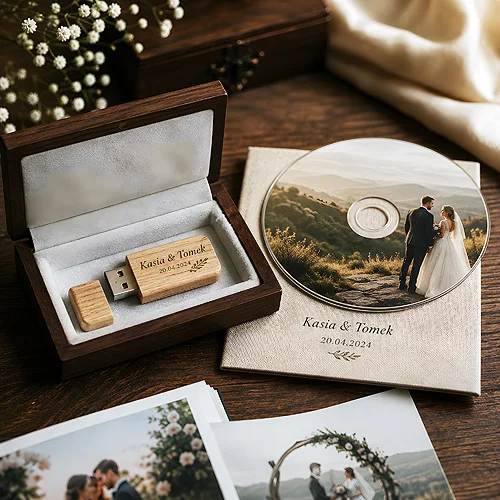
A flash drive is a universal medium - it fits a presentation, a PDF catalogue, a video or samples. You can carry it on your keys, plug it into a laptop without any extra software. When you want it to be more than plain storage, treat it as a starting point to resources in the network.
A simple division of roles works well. On the flash drive you record permanent materials: the logo, today's version of the presentation, a set of the most important files. Alongside them you add one file - for example a shortcut or a short text document - that leads to the current online folder. There you keep what is alive: the full catalogue, the price list, the news. This way the customer has a complete set at hand, and you update online content without having to re-record the medium.
Match the flash drive model to the situation - the handy swivel Twister works great at trade fairs and events, where you hand out media in bulk. We write more about what is worth putting on it in the guide what to record on a company flash drive.
Leave a short text file on the medium along the lines of "start here" with a clear description of what is where and where the link to the online materials leads. The recipient then does not have to guess, and you can be sure they reach the most important content. It is a small thing that makes a difference to how the whole is received.
A CD or DVD with a QR code on the cover
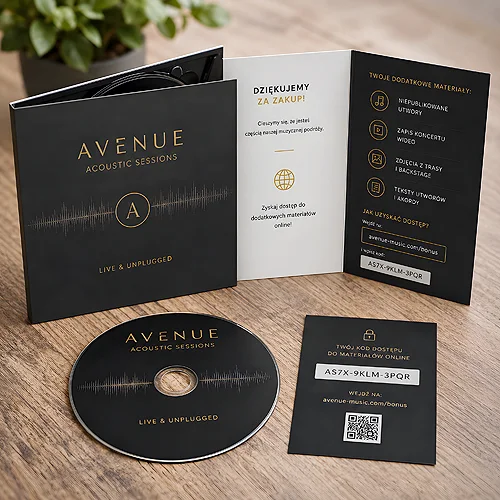
A disc still has its place - as a durable archival medium, as a keepsake, as a coherent set with photos or a recording. Its cover or packaging is a natural spot for a QR code that leads the recipient to materials in the network. Then the disc itself holds the basic version, while the online layer extends it with extras, updates and bonuses.
The aesthetics of the packaging do a lot here. A well-made digipack with print looks like a considered product rather than a hasty add-on. We write about preparing the artwork for printing directly onto the disc in the context of various projects on printed discs.
What to keep on the disc and what online
The division is similar to that with a flash drive, but a disc is more associated with a closed and finished version. So put on the disc what is meant to stay unchanged - the final recording, a complete set of photos, an archival file set. Let the QR code on the cover lead to content you want to be able to expand: extra shots, behind-the-scenes materials, an updated gallery or a folder to download.
The QR code as a bridge between paper and the network
The QR code is now a standard that every phone reads with its camera, without installing anything. That has made it the simplest bridge between a printout and online content. You can place it on a disc cover, on flash drive packaging, on a business card, a leaflet or a sticker on a box - and in each of these spots it works the same way: pointing the phone leads straight to the materials. The code can also be printed on the carrier itself - the card format PCC allows that, because UV print covers its entire face.
- On a leaflet - a leaflet introduces the topic, while the code leads to the full offer, a video or a form. Paper makes the first impression, the network delivers the rest.
- On a business card - next to the contact details, the code can point to a portfolio or a current presentation that always shows the latest work.
- On packaging and a sticker - a sticker with a code turns an ordinary box into a starting point for instructions or extra materials.
- On the medium - a code on the disc cover or the flash drive case ties the object to its network extension into one logical set.
If you want to dig deeper into codes on printed materials, take a look at the post how to use QR codes on packaging, leaflets and gadgets - you will find more ideas for applications there.
Give the QR code a reasonable size and leave some free space around it - one that is too small or squeezed into a corner can be hard to scan. It is also worth testing it with a phone on a proof before you order the whole run. A few minutes of testing saves disappointment at delivery.
Updating content without reprinting the medium
The biggest benefit of this approach is unassuming but very practical: a medium or packaging with a QR code printed once can serve for a long time, even though the online materials change many times over. The secret is to make what the print points to permanently lead to a place whose contents you can freely refresh.
Here is how to prepare such a medium with online access step by step:
- Split the materials - list what is permanent (a recording, the logo, a set of photos) and what will change (the catalogue, the price list, the news).
- Copy the permanent onto the medium - the flash drive or the disc get the final version of what does not need updating.
- Put the changeable online - in a folder or gallery in the network, reached through one permanent access point.
- Generate a QR code - pointing to that permanent online spot, not to a specific version of a file.
- Place the code on the print - on the cover, packaging, sticker or leaflet, along with a short note about what lies behind it.
- Update online only - when the offer changes, you swap the contents of the folder, and the print stays as it is.
This way one batch of packaging and media serves many editions of the offer. You change the content in the network, and from the same code the customer gets the latest version every time. Before you generate the code, though, it is worth checking the tips on preparing files so that the print artwork follows the print house rules.
Personalising the print - so the medium looks like yours
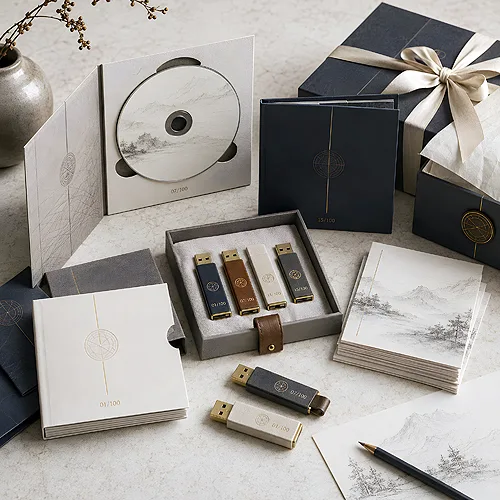
A medium with online materials gains the most when it looks dedicated rather than taken off a shelf. A logo printed on the flash drive, a coherent disc cover, packaging in the brand colours - all of this makes the recipient take the object seriously and reach for it more willingly.
Well-chosen colours, a legible logo and a spot for the QR code are worth planning already at the packaging design stage, so the whole comes together as one set. If you care about a coherent promotional bundle in which the medium plays alongside printed materials, the post how to combine a flash drive, a leaflet and a business card into a set can help.
A physical medium and online access do not compete with each other - they complement one another. The object gives durability and presence, the network gives currency and capacity, and the QR code ties one to the other in a simple, intuitive way. Plan the split of content, take care of a legible code and a tasteful print, and an ordinary flash drive or disc turns into a gateway to materials you can refresh whenever you like.