A USB drive and a CD look like interchangeable carriers of the same content. In practice they are two different objects that behave differently once handed over - and it is that behaviour, not capacity, which should settle the choice.
The question about the carrier usually comes up once the repertoire is agreed. Yet what gets decided then has nothing to do with music: whether the recipient can play it, what else goes onto the carrier, what becomes of the object in six months, and how your logo gets onto it.
Below we lay both options side by side, honestly, weak points included.
- A CD wins when the release is meant to be complete: a cover, a booklet, a track listing and a ceremonial handover.
- A USB drive wins when the recipient has no disc drive and the content is meant to be copied and carried around.
- A USB drive holds more than music - a catalogue in PDF, photographs, a presentation.
- A USB drive stays a gadget once emptied of files, and that is the advantage people forget about.
- Marking: UV printing in full colour, or laser engraving, meaning a vector file in a single colour.
When the CD wins
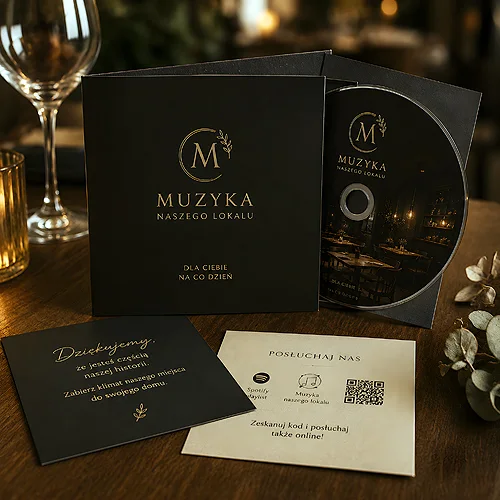
A CD is not a file, it is a release. It has a cover, a track listing, room for a note about the repertoire and a physical format that says by itself that somebody took trouble over it. A USB drive cannot reproduce that, because it is a useful object rather than a publication.
- When the presentation matters - cover, booklet and track listing are part of the release, not an add-on. A CD-BOX case takes a 4 or 6 page inlay, or a sewn booklet of 8 to 28 pages.
- When the recipient can play it - a reception desk, the system in a venue, a car, a set in a treatment room. In plenty of places a player is still there and still working.
- When the handover is meant to feel formal - a CD is passed over like a book, a USB drive rather slipped into a hand.
- When the run is large - on bigger series replication from a master becomes worthwhile, while smaller ones are naturally printed and copied.
The disc itself is a printing surface too, not merely a carrier of data. The print covers a circle with a hole in the middle, so the composition has to allow for that hole, but it gives one more place where the brand mark is visible at exactly the moment of playback. You will find both production routes in the CD discs section, and the details of the printed version with printed CDs.
When the USB drive wins
A USB drive makes up ground wherever a CD runs into a wall, whether that wall is hardware or content.
- When the recipient has no disc drive - in many offices and homes the optical drive disappeared from computers years ago.
- When the content is meant to be copied - files move onto a hard drive, onto a phone through a computer, into a car system with a USB socket.
- When company material travels alongside the music - a catalogue in PDF, product photographs, a presentation, a price list to look through. All in one folder.
- When the gadget is meant to stay in use - the strongest argument of all, and one worth a paragraph of its own.
A USB drive stays a gadget once emptied
A CD that somebody has listened through usually ends up on a shelf. A USB drive does not end its life once the files are copied off it - it becomes everyday equipment that lives in a desk drawer, travels in a rucksack and gets plugged into other people's computers. Your logo travels with it far longer than the content you loaded onto it.
You can look through the models in the promotional USB drives section, and there is a separate ecological line if the rest of your material leans that way.
Marking - UV printing or engraving
Here lies the difference that most often surprises people ordering. A USB drive can be marked in two ways, and they are not equivalent.
UV printing gives full colour. It reproduces a multicoloured logo, tonal transitions and artwork built from several colours, so the mark looks the way it does in your identity.
Laser engraving works differently: it needs a vector file in a single colour, in black, not CMYK, which means not the four printing inks. The result is sunk into the casing and extremely durable, but everything in the logo that carries colour turns into one tone. A vector is a drawing saved as curves rather than as a grid of pixels, so it can be enlarged without losing sharpness.
Before you settle on engraving, check whether your logo has a single-colour version prepared. Many marks lean on colour to carry their meaning and become unreadable once reduced to one tone. If no such version exists, it is worth preparing one properly - it will also serve on a stamp, an invoice and other documents.
Two different kinds of wear
It is worth knowing how each carrier ages, because that decides how long your mark stays in sight. A disc wears on the surface: scratches underneath, marks from being pulled out, a cracked hinge on the case. Put back in its place it lies unchanged for years, because nobody carries it anywhere.
A USB drive wears differently, through being used. It is plugged in and pulled out, carried in a pocket along with keys, written over with new files. The marking has to survive all that, and here engraving has the edge over printing, because it is sunk into the casing rather than laid on top of it. That is the other side of the same argument: an object in constant use is also in constant contact with everything else sitting next to it in a pocket. So for a carrier meant to ride in a pocket for years, the usual picks are the metal Unity for engraving, or the Twister, whose swivel connector replaces the cap - there is nothing to lose.
The content that settles the matter
The simplest criterion sounds like this: if the carrier is meant to be an album for listening, choose a CD. If it is meant to be a folder of material in which music is one item among several, choose a USB drive.
That second situation is more common than it seems. A company handing something over at a trade fair or at a contract signing usually wants to pass on several things at once, not one. A carrier with folders then wins, because it lets you arrange the content the way an offer is arranged. We wrote about this in our post on combining a USB drive, a leaflet and a business card into one set.
The order of decisions
- Settle what goes onto the carrier - music alone, or music together with company material.
- Check whether the recipient can play it - the answer differs for a hotel and for an office.
- Decide whether the object should stay in use once the files have been copied off.
- Match the marking to the logo - full colour with UV printing, a single colour with engraving.
- Approve the proof - the same mark sits differently on a round disc and on a narrow casing, so look at it with your chosen carrier already in mind.
There is no winner here once and for all. A CD is a release and wins wherever form, presentation and the moment of handover matter. A USB drive is a tool and wins where the content has to travel onwards and the object has to stay in daily use. If you want to set this against other gifts, have a look at our piece on whether a CD can be a more elegant gift than a typical promotional item, and at the post on a CD or USB drive inside a loyalty programme.