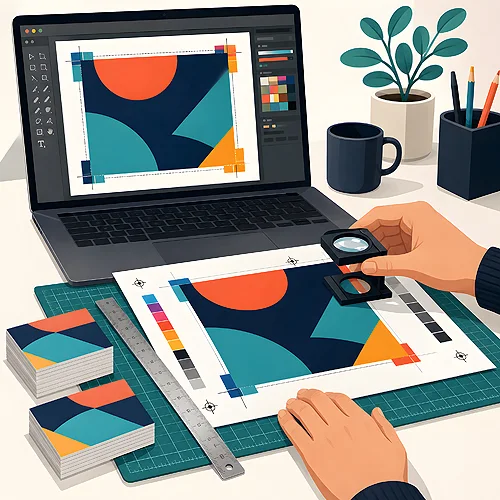
You have your design ready and only one question left - which format to save it in so the print looks exactly like it does on your screen. That is a good question, because the format really does matter. The same design saved three different ways can give three different results on paper. Let us walk through it calmly.
- PDF - the safest choice for print. It keeps the layout, fonts, vectors and bleeds in one file.
- TIFF - great for high-quality photos and raster graphics, though the files can be heavy.
- JPG - light and convenient, but lossy - we accept it in high quality, CMYK and 300 dpi, for simple designs without text.
- Not sure? Send a PDF/X - it is the print standard, and things rarely go wrong with it.
PDF - the format printers like best
A PDF is like a digital version of a page that is ready to print. Everything sits inside one file at once: the placement of text and graphics, the fonts used, vector elements (the ones you can enlarge without losing sharpness), and bleeds - the extra margin beyond the trim line.
Its biggest advantage is simple - a PDF keeps the layout. What you saved will open the same way for us as it does for you. Fonts can be embedded in the file, so you do not need to send them separately and there is no risk of letters "jumping" to a different typeface. You can also embed a colour profile, which makes the colours predictable.
There is an even more precise print variant - PDF/X, and the one we ask for is PDF/X-1a:2001. This is a PDF prepared specifically for production: watching over CMYK colours, with embedded fonts and tidy bleeds. If the program you work in offers this option on export, choose it without hesitation.
Before you send a PDF, open it on your side and scroll through page by page. If it looks good on your screen and nothing has "shifted", that is a very good sign - it will go to print exactly like that.
TIFF - when photo quality is what counts
TIFF is a raster format, meaning an image built from pixels, saved without any loss. Lossless means the file does not "drop" details to make itself smaller - everything stays in place. That is why TIFF works beautifully for photos and raster graphics that need to be printed in really high quality.
There is a price for that - TIFF files can be large, sometimes genuinely heavy. That is normal and not a problem, it is just worth knowing when you send them. The second thing: a TIFF is a pure image. It contains no editable text or vector elements, so if your design has text you want perfectly crisp, it is best to take care of that while creating the graphic.
In short - choose TIFF when the star of the show is a photo or a rich graphic and you want maximum fidelity in the details. We accept it on four conditions: one file is one page, colours in CMYK, 300 dpi, no layers and LZW compression.
JPG - light and convenient, but handle with care
Almost everyone knows JPG - it is the format of phone photos and the internet. Its strength is small file sizes, because it uses lossy compression. "Lossy" means that in exchange for being light, the file throws away part of the image information. On screen you usually do not notice it, but in print with enlargement you may see so-called artifacts - small smudges and blurriness around edges.
On top of that come two traps. JPG is usually saved in RGB (the screen colour mode), while print works in CMYK - so the colours can shift a little. And a JPG has no bleeds or embedded fonts, because it is simply a flattened image.
Does that mean JPG is bad? No. For a design preview, for quickly showing someone an idea, or as a photo in a simple material - it is perfectly enough. It only becomes risky when it is meant to be the final production file for a whole design with text and a background running to the bleed. In that case, reach for a PDF.
And the other formats - PNG, PSD, AI?
They are worth knowing, even if they rarely go straight to the printing press. PNG is a web format - its asset is a transparent background, which is why logos for websites are often saved in it. We do not accept it for print - PNG with transparency is rejected, because transparency behaves unpredictably in prepress.
Then AI (Adobe Illustrator) and PSD (Photoshop) are working files, the ones a design is built in. They are priceless for editing, because they keep layers and all the elements separate, but they are not ready-to-send files. From them you export the final PDF.
A simple rule: you design in the working files, and for print you export a finished PDF.
How to prepare a file so the print comes out well
No matter which format you choose, a few things are worth checking every time. They are what most often decide whether the print will be sharp and in the right colours.
- Resolution of 300 dpi - the density of detail at which photos and graphics are sharp on paper. An image from the internet is often too thin for print.
- Colours in CMYK - print works in this space, so a file in CMYK gives the most predictable colours.
- Bleeds - an extra margin beyond the cutting line, so no white strip appears at the edge after trimming.
- Fonts outlined or embedded - "outlines" turn letters into shapes, so the text will not change even if we do not have the same typeface.
A good print-ready PDF is exported with exactly these settings: 300 dpi for graphics, CMYK, added bleeds and embedded fonts (or text converted to outlines). If your program has a ready "PDF/X" preset - that is usually the simplest path, because it handles some of these things for you. We have gathered practical tips in our guide on preparing files, and we clear up the most common questions in the FAQ section.
If you would like to go through this calmly, step by step, take a look at the post on how to prepare a file for print. And if you would rather know right away what to avoid, we have collected it in the piece on the most common file mistakes.
Summary - what to choose in the end
If you had to sum it up in one sentence: the best format for print is a PDF, ideally in the PDF/X version. It keeps the layout, fonts, vectors and bleeds, lets you embed colours and simply rarely surprises you. Reach for TIFF when the main element is a high-quality photo. Leave JPG for previews and light materials.
And most importantly - you do not need to be a graphics expert to send a good file. Not sure which format to choose? Send a PDF/X. And if something worries you, write to us or tick file verification by a designer in the calculator - you will then get a preview to approve before anything goes to print.