A black background looks stunning on the screen, but in print, it can consume half of the design. Before you send your file to the printer, it's worth knowing which technique will bear the contrast and which will turn the logo into a dirty stain.
Why Printing on Dark Backgrounds Works by Different Rules Than on White
On white paper or light substrates, color simply lies on the surface and looks like you designed it in RGB or CMYK. On black, that is no longer the case. A dark substrate absorbs light, taking with it some of the saturation and brightness of the paint. Yellow starts to look olive, orange becomes brick, and a subtle pink completely disappears.
This is not a quirk of technology but physics. Without a white underlay, color printed on a dark background, for example, a yellow logo on a black flash drive, visually "disappears" and becomes dirty green; therefore, UV plotters first spray a covering layer of white and only then apply the actual graphic on top. The same mechanism works in screen printing and pad printing, except that in those cases, the white underlay is a separate, additional color application that needs to be included in the price and production time.
Imagine two identical files: a gold logo on a black t-shirt and on a white one. On the white, one layer of paint is enough. On the black, you first need to print white, wait for it to set, and only then apply gold to avoid it turning gray-brown. For a marketer, this means two things: a higher unit cost for small runs and the need to plan production ahead of time since the process simply takes longer.
There's also the other side of the coin. A well-managed dark background gives a premium effect that you cannot achieve on white paper or light plastic. A black t-shirt with metallic print or a black pen with engraving looks more expensive than it actually is, which benefits the brand in seasonal campaigns like Halloween. The customer associates a dark, contrasting gadget with something limited, not with cheap mass production.
- A white underlay is essential: without it, colors on a black background become dirty and blurry.
- Not every technique handles gradients: flex foil only one or two colors without tonal transitions.
- UV printing gives a 3D effect: multiple layers of ink are tangible to the touch.
- Larger runs, lower unit price: in DTG and DTF the difference can reach even 40-50%.
- A black background in the project is a trap: it should be transparent, not black.
Printing Techniques on Dark Material: Screen Printing, Pad Printing, UV, and Engraving in Practice
Choosing a technique is essentially the first decision you need to make when planning Halloween gadgets. Each has different limitations and a different final aesthetic.
Screen printing works well for large runs and simple, flat graphics. When printing full-color on a dark substrate, a white underlay is additionally printed to ensure colors are clean and saturated, with the maximum number of colors being nine plus the underlay, using plastisol inks. This technique is ideal for t-shirts with a simple pumpkin motif or the text "Trick or Treat" but struggles with photorealistic illustrations or subtle shadows.
Pad printing is a typical choice for gadgets with hard substrates: pens, keychains, lighters. Here, too, the underlay principle applies, though with small graphic elements (e.g., a logo with a diameter of 2 cm), the time overhead is less noticeable than with screen printing on textiles.
UV printing is currently the most flexible option for dark backgrounds. It allows for laying down a white ink layer first, enabling printing on any color and transparency while retaining the exact colors of the graphic. Importantly, it does not require the preparation of matrices or drying of paint; prints are ready immediately after coming off the plotter, significantly shortening the turnaround time even for single pieces. This is a major advantage in seasonal campaigns, where deadlines are predetermined by the date of October 31, and there is no room for production delays. Additionally, UV ink hardens in volume, allowing for multiple layers to be printed in the same place and achieving a tangible 3D effect, great for something like a raised skull outline or a spiderweb.
Laser engraving represents a completely different philosophy: instead of adding color, you remove a layer of material, revealing a lighter core underneath. On black metal pens, the effect is elegant and durable, though limited to one color, which is determined by the base material.
If the design has a gradient or shadow, flex foil won't cope: it contains only solid or dual-color elements without tonal transitions. For more complex logos, printflex, which is UV printing on foil, which is then heat-pressed, works better.
Ideas for Halloween and Autumn Promotional Gadgets with a Dark Accent
Halloween in Poland is still sometimes treated somewhat dismissively in corporate marketing, which is a shame because it’s one of the few occasions when the black color in promotional materials doesn’t require explaining to the client why exactly that color and not the corporate blue.
Black pens with orange or green engravings are the simplest choice: models like the SONIC pen or the IDOL pen are available in dark body variants, on which laser engraving holds up for years, unlike stickers, which wear off after a few weeks in a pocket.
Keychains and other promotional gadgets with pumpkin or bat motifs work well as small gifts in the shopping cart in a brick-and-mortar store or as additions to online orders for Halloween.
A black flash drive with an orange logo looks good all year round, not just seasonally, and the UV technique allows for complex graphics to be applied without loss of quality. This is a good option if you want the gadget to look like more than a disposable prop for one evening, but rather genuinely contribute to the brand's image for the following months.
It's also worth considering paper materials: invitations to the corporate Halloween party or the autumn industry event, printed on black or deep graphite paper with white or gold print, make an impression just by the texture of the envelope. Similarly, notepads with a dark cover and orange printed logo can serve as office gadgets given to clients in October, and then continue to function freely since the seasonal theme is limited to the accent color, not the content.
If you are planning a long-term campaign, it makes sense to think ahead about upcoming occasions on the calendar: questions about weight, substrate color, and print technology that you ask yourself now for Halloween will return when planning winter Christmas cards for companies, where dark backgrounds with metallic prints are indeed one of the more popular choices.
Most Common Design Mistakes When Preparing Files for Dark Backgrounds
More than half of the problems with print quality on dark materials arise not from technology but from the file that goes to the printer. Here’s a checklist of things to check before you send your design:
- Black background in the file instead of transparent. On a black t-shirt, the project background should remain transparent, not black, otherwise the print will "blend in" with the fabric of the t-shirt, and instead of a clear motif, you’ll get an invisible outline.
- Too low resolution. Images for printing on apparel should have a minimum resolution of 300 dpi at the actual print size, and the format is best as PNG with a transparent background.
- Working in CMYK instead of RGB. Contrary to intuition, it’s best to create the design in RGB because printing will still give a somewhat less vivid color, and conversion at the preparation stage can be more accurate than manually "guessing" the CMYK values by the designer.
- Lack of color separation for the white underlay. For screen printing, CMYK color separation occurs only on a white base, so when printing on colored material, it is necessary to first lay down a white underlay for the entire print, not just for light elements.
- Too complex graphics for a technique that can't handle it. Sending a photorealistic shadow or gradient for flex foil is a straightforward path to disappointment, as this technique only supports one or two colors without transitions.
- Ignoring the cost of the underlay for small runs. Additional base colors, such as a white underlay on a black t-shirt in the DTG technique, increase ink consumption and print time, which for several pieces raises the unit price in a way that surprises clients unaware of this mechanism.
It's also crucial to remember that not every combination of material color and print color is possible. Print shops using DTG machines do not produce black prints on black clothing or white prints on white clothing because it is physically impossible to achieve contrast where it simply doesn't exist.
How to Choose Material, Color, and Technology for Seasonal Marketing Campaigns
The decision about the printing technique should arise from three questions: what run size, what material, and how much time do you have.
For small runs, up to several dozen pieces, a one-time Halloween action does not justify investing in screen printing matrices. UV printing (with no preparatory costs) or DTF, where the price starts from around 4 to 8 zł per piece for larger runs, work better, and the price does not depend on the number of colors in the design, which is a significant advantage for colorful Halloween motifs with orange, purple, and green all at once.
For larger runs, from fifty pieces and up, cost-effectiveness changes. When ordering fifty printed t-shirts, the unit price can drop by half compared to ordering five pieces, and in DTG printing, ordering one hundred pieces can lower the unit price by up to 40 percent. If you plan to distribute gadgets at an industry event or autumn fairs, it’s worth calculating in hundreds of pieces right away, because the cost per piece drops significantly faster than with conventional offset printing.
The material also matters. Black cotton holds up well for both DTG and screen printing. Plastics and metal (pens, flash drives, keychains) best suited for pad printing, engraving, or UV. Paper, if you plan leaflets or invitations in dark colors for a corporate Halloween event, requires a different approach: here weight is critical because too thin paper in a dark color becomes translucent and loses elegance, more on which we have written when discussing how to choose the paper weight for printing business cards and leaflets.
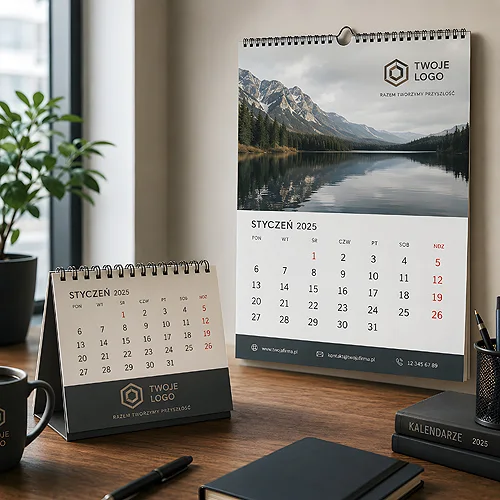
One last thing: seasonal campaigns rarely end with one gadget. A company that gives away black pens with orange engravings in October will naturally reach for more promotional materials in November and December, such as the corporate calendar for the new year, where a dark cover with metallic embossing is a popular choice at the turn of the year. By planning production in advance, it is possible to negotiate better terms on the entire seasonal package instead of ordering each gadget separately at the last minute.
Frequently Asked Questions
Is UV printing more expensive than screen printing on dark material?
For small runs, UV is usually cheaper as it does not require preparation of matrices or additional drying time. For large runs, over several hundred pieces, screen printing may be more cost-effective per piece, though it requires longer turnaround times.
What file format should be used for printing on a black background?
PNG with a transparent background and a resolution of at least 300 dpi at the actual print size works best. It’s advisable to prepare the design in RGB space, as the printer will convert it to the target color profile anyway.
Can a gradient be printed on a black t-shirt?
Yes, but not with every technique. Flex foil works only with one or two colors without tonal transitions, so for gradients, UV printing, printflex, or DTG with an appropriate white underlay works better.
How long does it take to produce UV printed gadgets for Halloween?
UV printing does not require drying of the paint or preparation of matrices, so prints are ready immediately after coming off the plotter. This is one of the fastest options if you are ordering gadgets at the last minute before the seasonal campaign.
Is it worth investing in a white logo on a black flash drive, or is a color one better?
A white logo is technically the simplest and cheapest to produce because it does not require additional color separation. A colored logo requires a white underlay underneath, which increases the cost but provides an effect closer to the brand's original visual identity.